App screens are illustrative. The securities quoted are for illustration only and are not recommendatory.
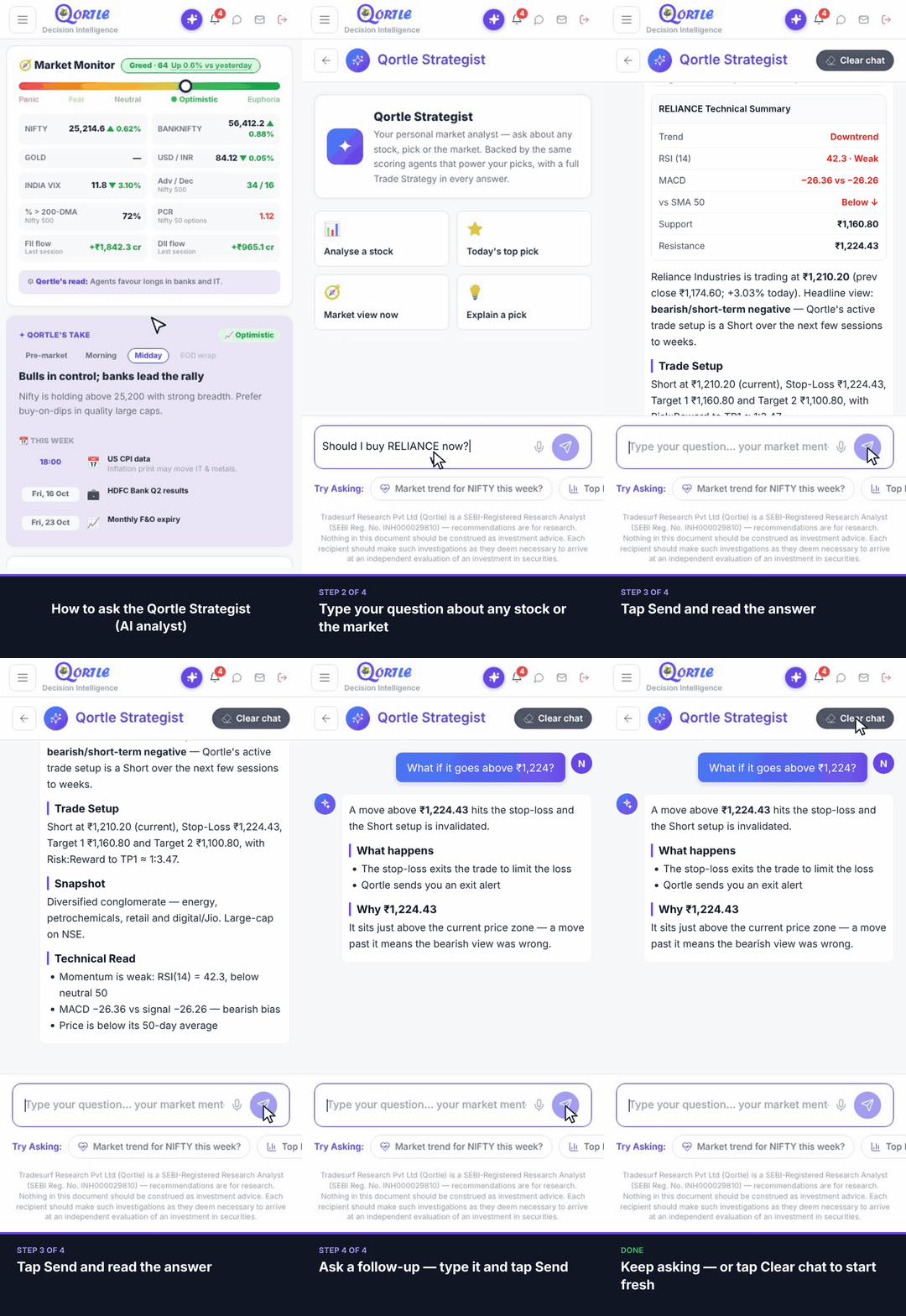
Steps
- 1Tap the purple Strategist button at the top.
- 2Type your question about any stock or the market.
- 3Tap Send and read the answer — price chart, technical summary and trade setup.
- 4Ask a follow-up — type it and tap Send.
Keep asking — or tap Clear chat to start fresh.
Good to know
How many questions can I ask?
It depends on your plan — for example, Basic includes 10 Strategist queries a day. Check Plans for your limit.
Is the answer investment advice?
No. Answers are research to support your own decision — you place every trade yourself.
Related guides
Still need help? Raise a support query