App screens are illustrative. The securities quoted are for illustration only and are not recommendatory.
Steps
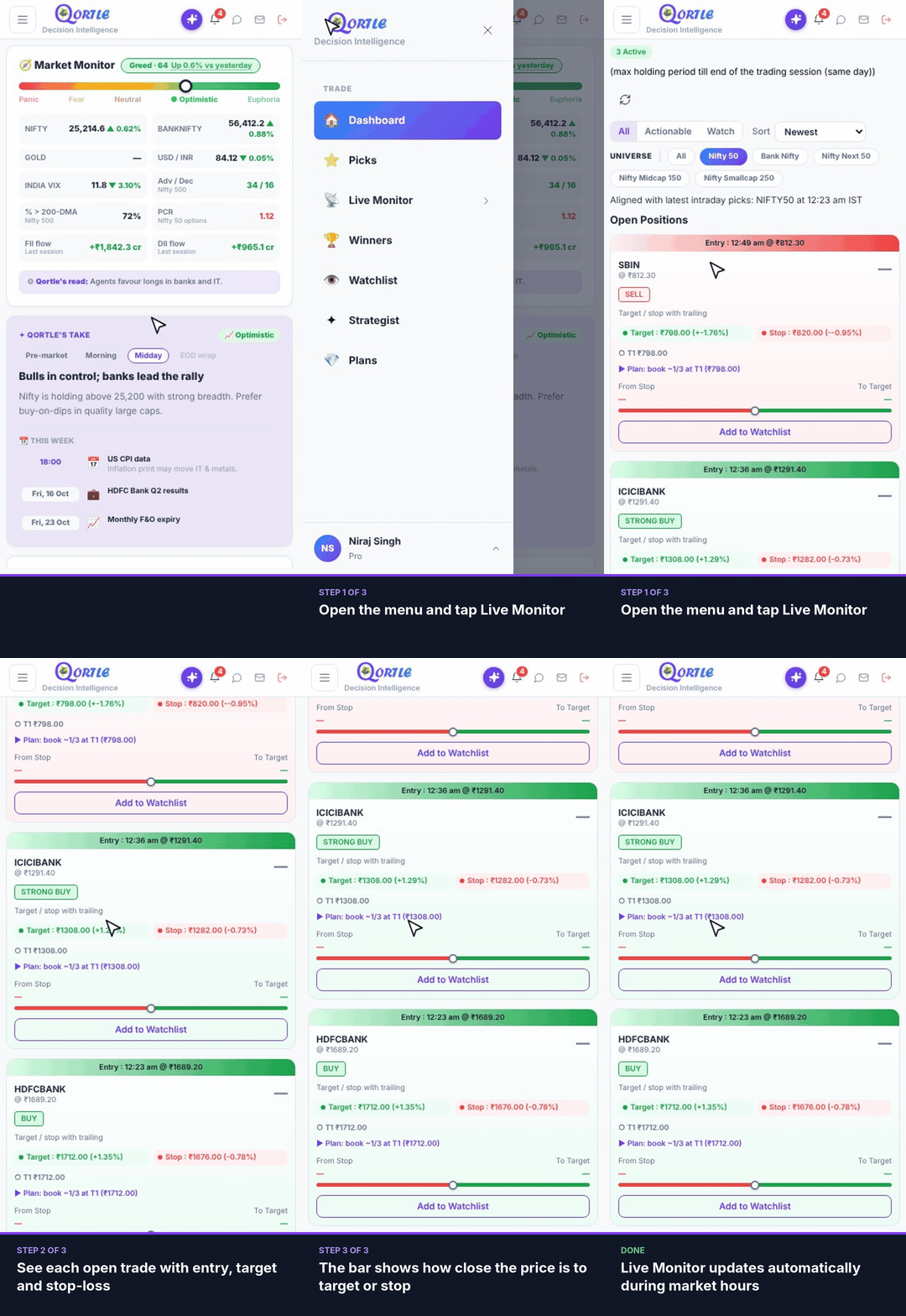
- 1Open the menu and tap Live Monitor.
- 2See each open trade with entry, target and stop-loss.
- 3The bar shows how close the price is to target or stop.
Live Monitor updates automatically during market hours.
Still need help? Raise a support query