App screens are illustrative. The securities quoted are for illustration only and are not recommendatory.
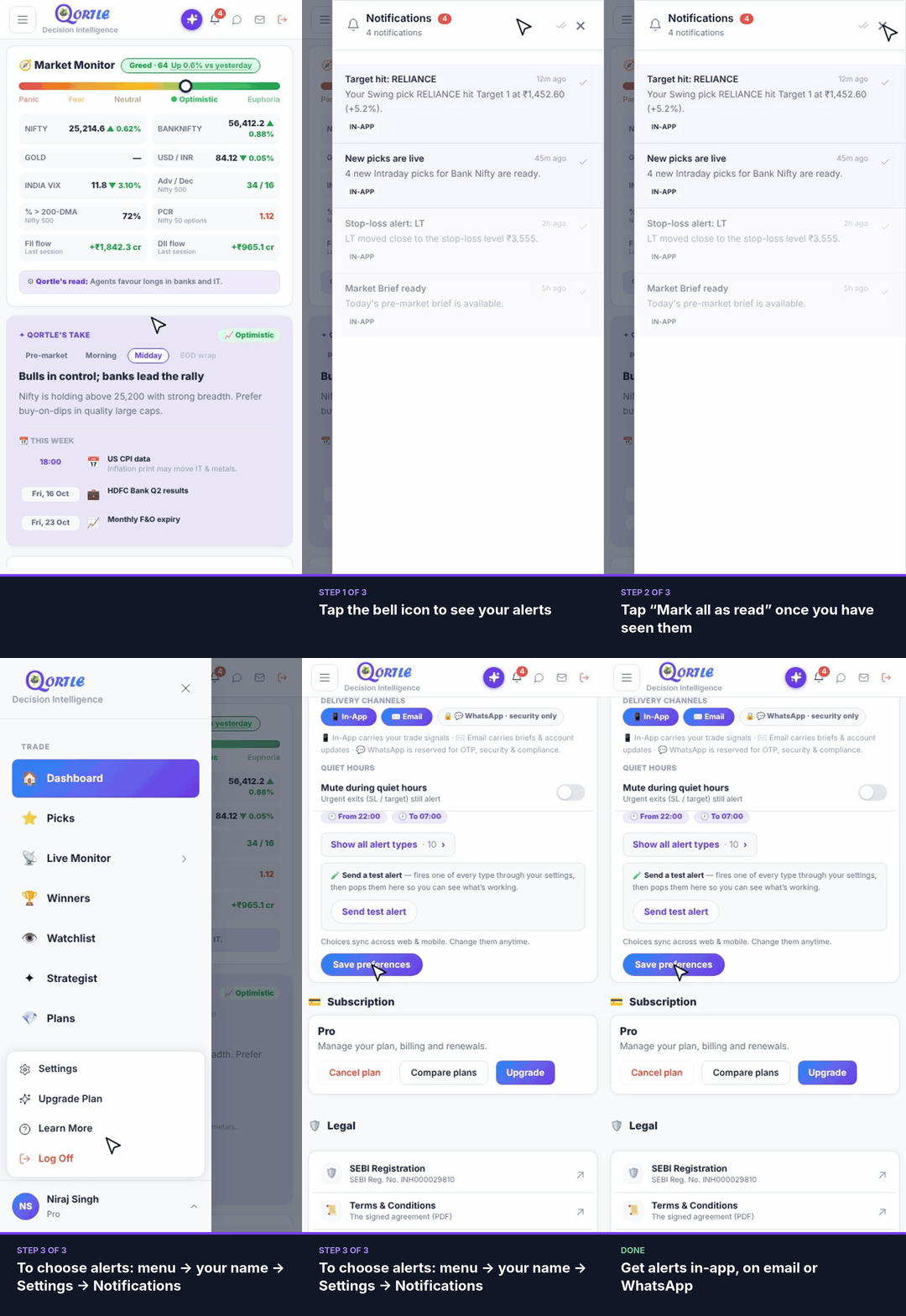
Steps
- 1Tap the bell icon to see your alerts.
- 2Tap “Mark all as read” once you have seen them.
- 3To choose alerts: menu → your name → Settings → Notifications.
Get alerts in-app, on email or WhatsApp.
Good to know
Can I mute alerts at night?
Yes. Turn on quiet hours in Settings → Notifications. Urgent exits (stop-loss / target) will still alert you.
How do I check my alerts work?
Tap Send test alert in Settings → Notifications — one alert of every type is sent through your settings.
What is WhatsApp used for?
WhatsApp is reserved for OTP, security and compliance messages.
Still need help? Raise a support query