App screens are illustrative. The securities quoted are for illustration only and are not recommendatory.
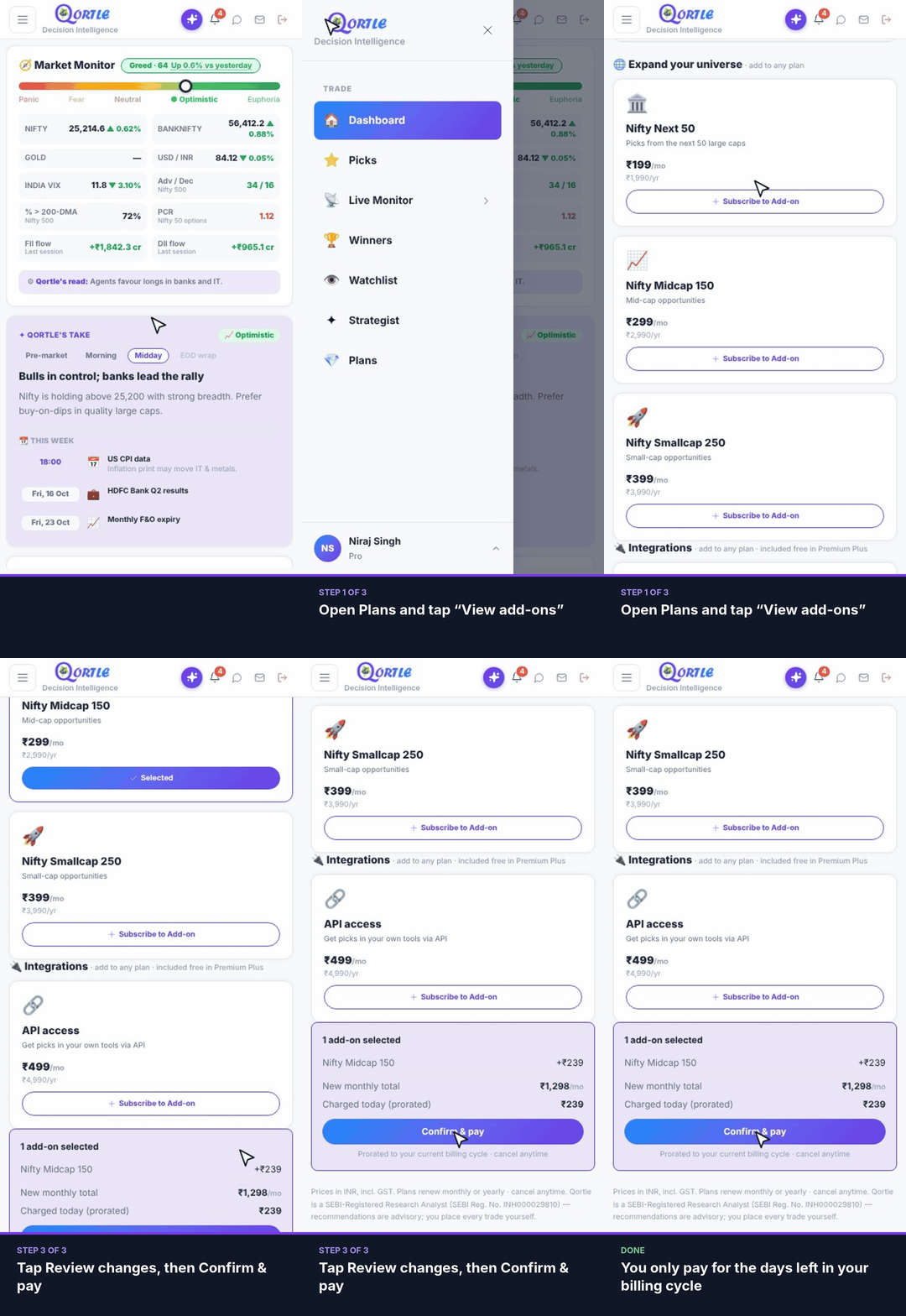
Steps
- 1Open Plans and tap “View add-ons”.
- 2Tap Subscribe on the add-on you want.
- 3Tap Review changes, then Confirm & pay.
You only pay for the days left in your billing cycle.
Good to know
How much do I pay today?
Only for the days left in your current billing cycle (prorated). Your new monthly total is shown before you confirm.
Which add-ons are available?
Extra universes — Nifty Next 50, Nifty Midcap 150 and Nifty Smallcap 250 — and API access.
Still need help? Raise a support query