Before you start
- UPI, a debit/credit card or netbanking for payment
App screens are illustrative. The securities quoted are for illustration only and are not recommendatory.
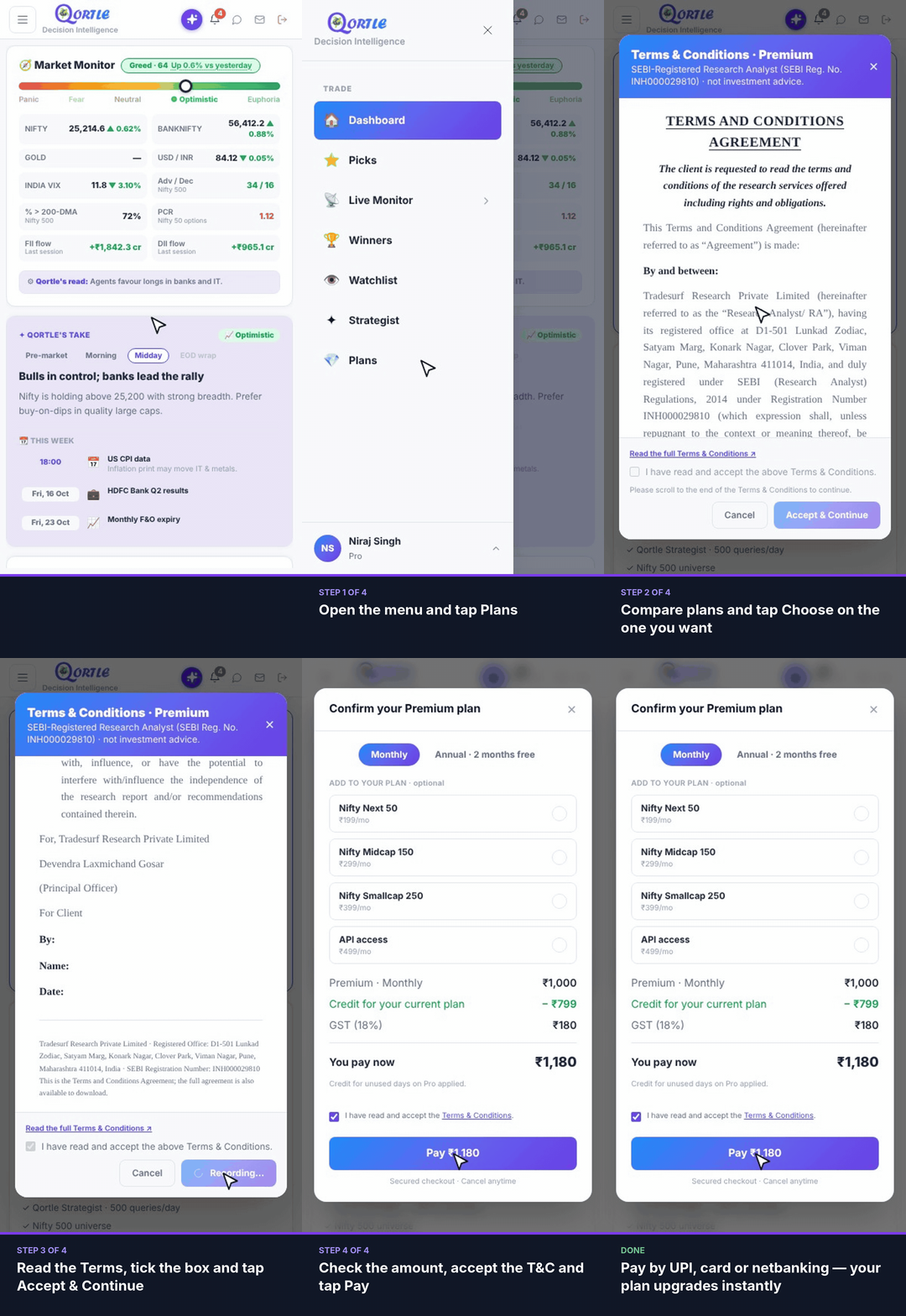
Steps
- 1Open the menu and tap Plans.
- 2Compare plans and tap Choose on the one you want.
- 3Read the Terms, tick the box and tap Accept & Continue.
- 4Check the amount, accept the T&C and tap Pay.
Pay by UPI, card or netbanking — your plan upgrades instantly.
Good to know
Do I get credit for my current plan?
Yes. Credit for unused days on your current plan is applied and shown in the summary before you pay.
Is GST included?
18% GST is added and shown in the summary before you pay.
Monthly or annual?
Annual billing gives you 2 months free.
Related guides
Still need help? Raise a support query