App screens are illustrative. The securities quoted are for illustration only and are not recommendatory.
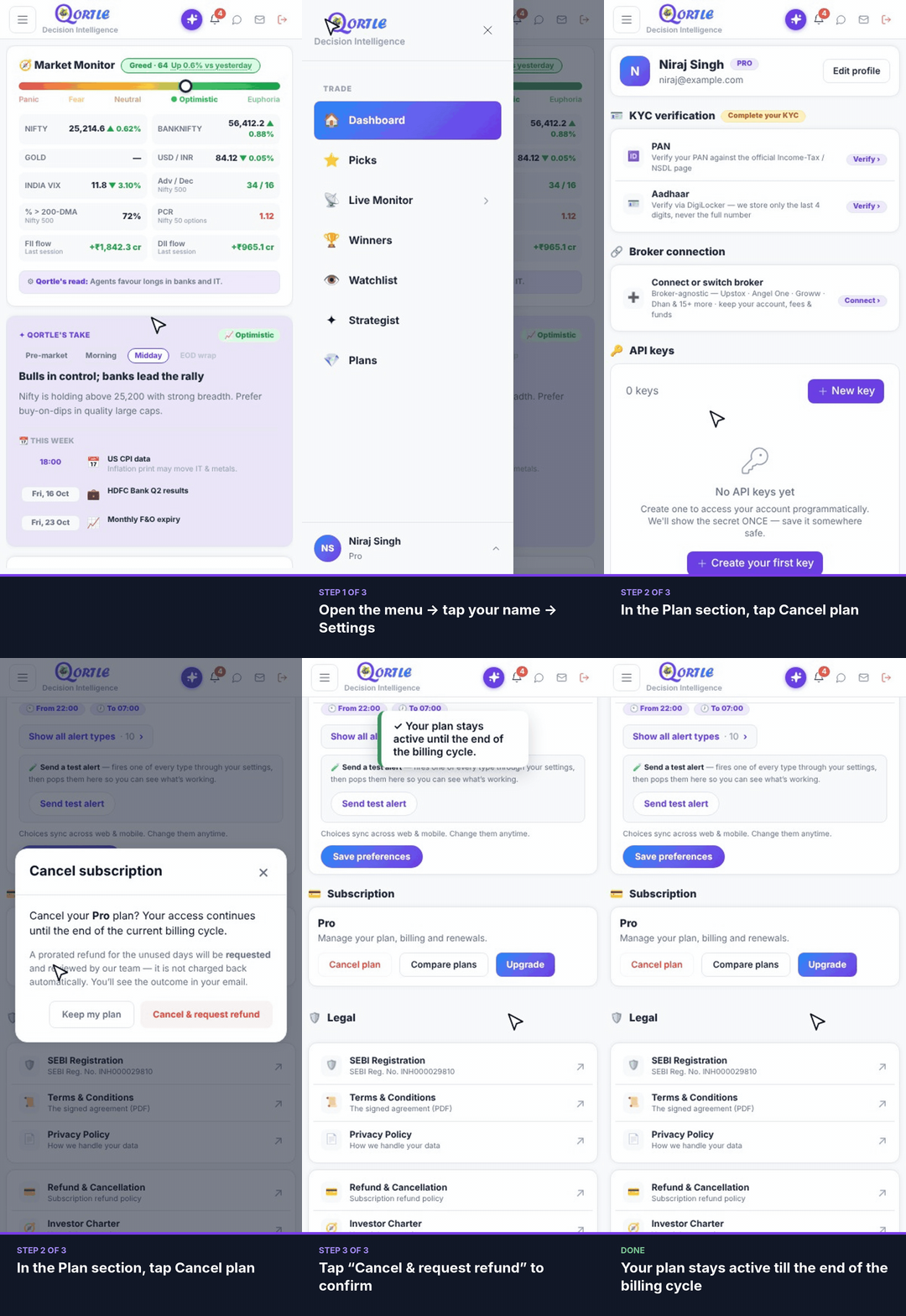
Steps
- 1Open the menu → tap your name → Settings.
- 2In the Plan section, tap Cancel plan.
- 3Tap “Cancel & request refund” to confirm.
Your plan stays active till the end of the billing cycle.
Good to know
Will I lose access right away?
No. Your plan stays active until the end of the current billing cycle.
How does the refund work?
A prorated refund for the unused days is requested and reviewed by our team — it isn't charged back automatically. You'll see the outcome in your email.
Related guides
Still need help? Raise a support query