App screens are illustrative. The securities quoted are for illustration only and are not recommendatory.
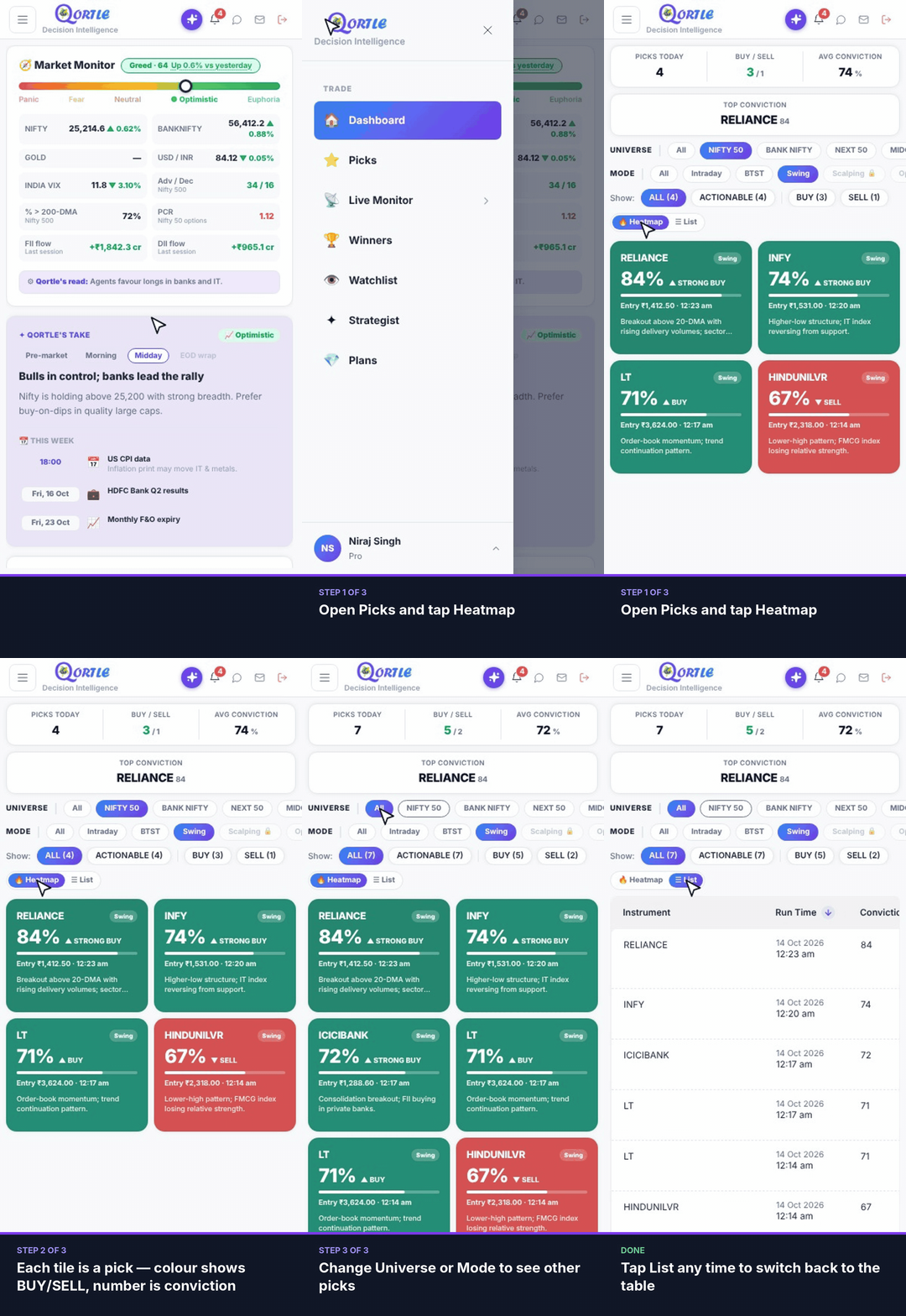
Steps
- 1Open Picks and tap Heatmap.
- 2Each tile is a pick — colour shows BUY/SELL, number is conviction.
- 3Change Universe or Mode to see other picks.
Tap List any time to switch back to the table.
Related guides
Still need help? Raise a support query