Getting set up · Step 6 of 6
App screens are illustrative. The securities quoted are for illustration only and are not recommendatory.
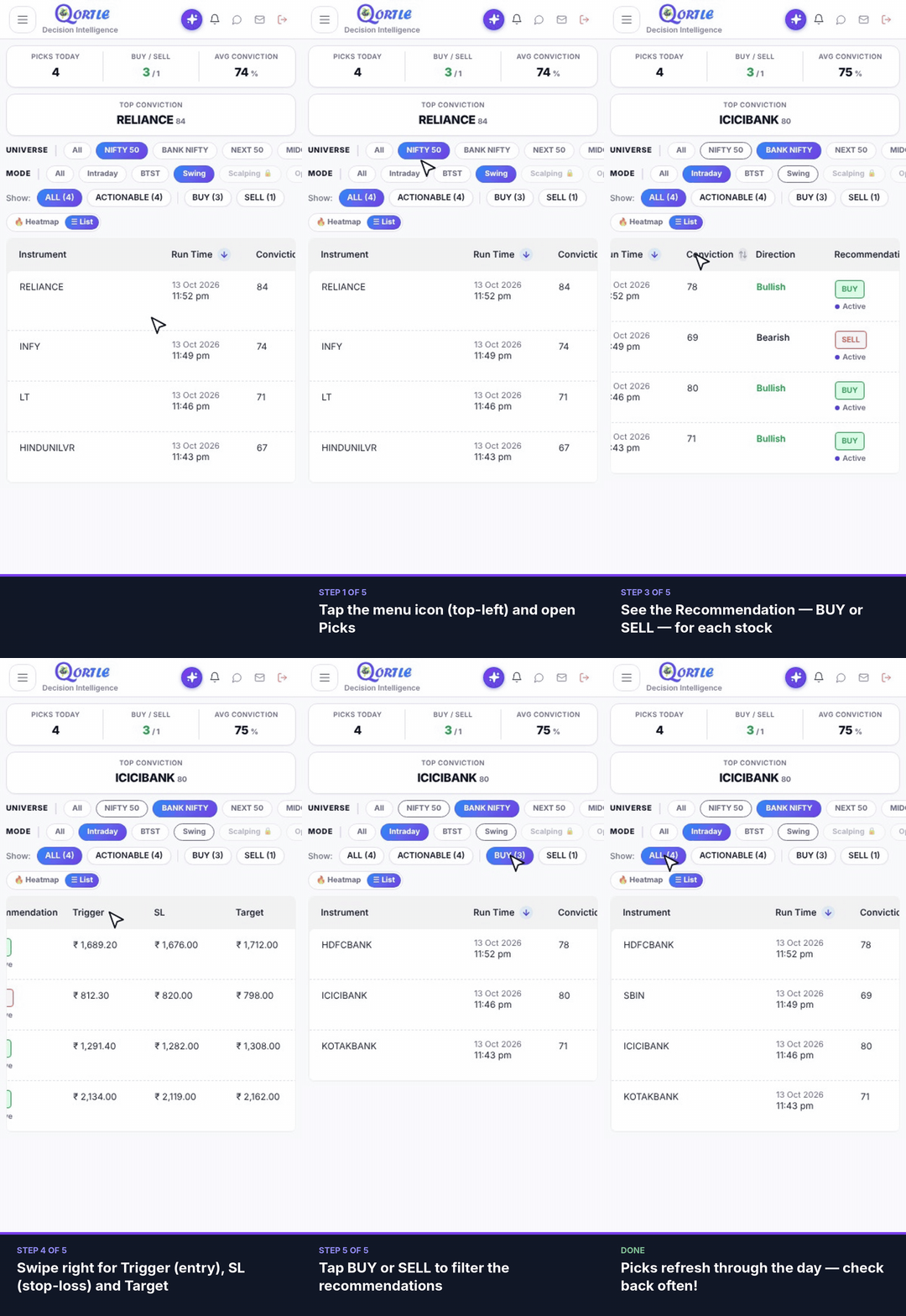
Steps
- 1Tap the menu icon (top-left) and open Picks.
- 2Choose a Universe and a trading Mode.
- 3See the Recommendation — BUY or SELL — for each stock.
- 4Swipe right for Trigger (entry), SL (stop-loss) and Target.
- 5Tap BUY or SELL to filter the recommendations.
Picks refresh through the day — check back often!
Related guides
Still need help? Raise a support query