Before you start
- Your broker connected to Qortle
- The pick's strategy page open
App screens are illustrative. The securities quoted are for illustration only and are not recommendatory.
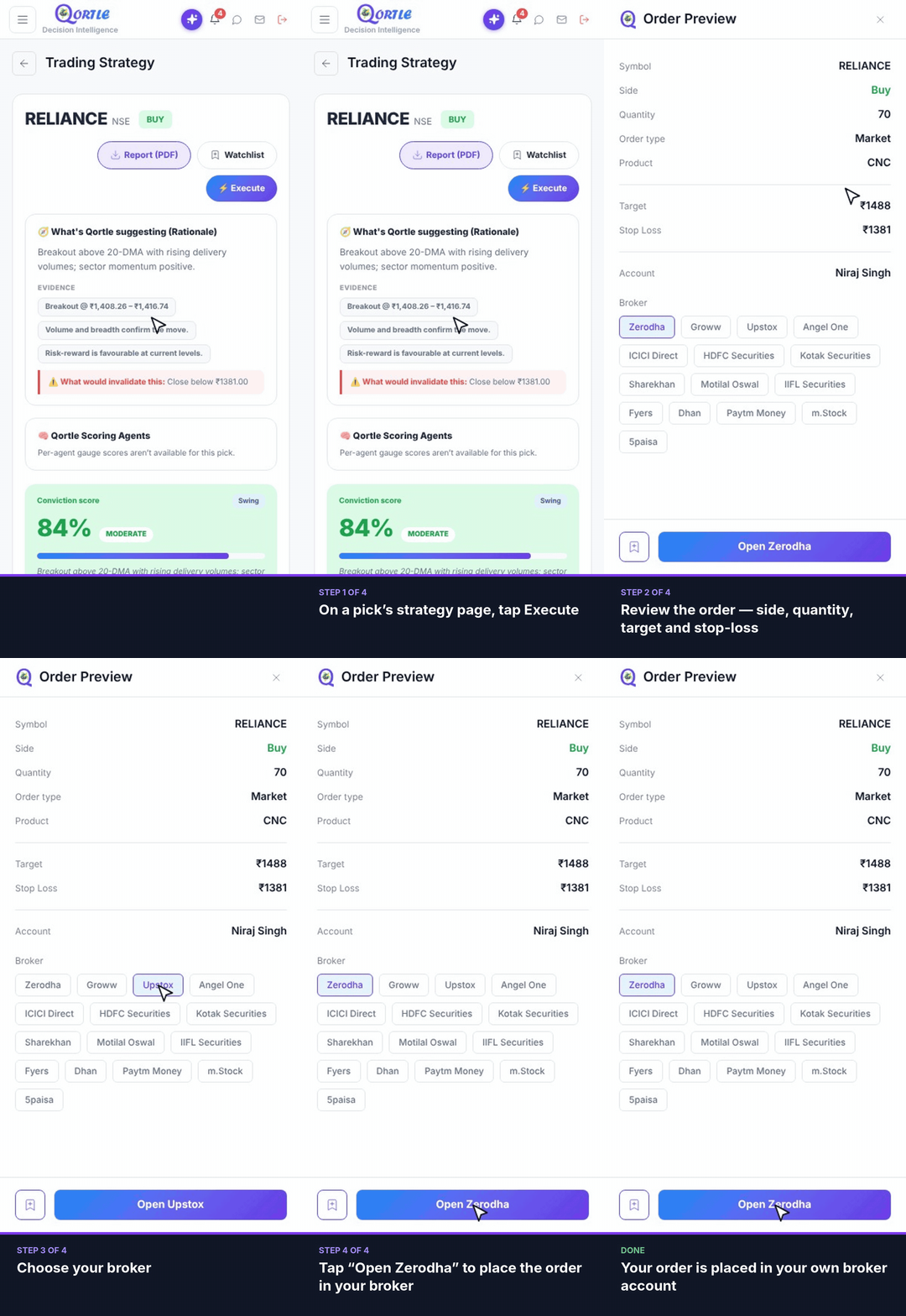
Steps
- 1On a pick's strategy page, tap Execute.
- 2Review the order — side, quantity, target and stop-loss.
- 3Choose your broker.
- 4Tap “Open <broker>” to place the order in your broker.
Your order is placed in your own broker account.
Good to know
Does Qortle place the order for me?
No. Tapping “Open <broker>” takes you to your broker, where you place the order in your own account. Qortle is a research service and never executes trades.
Can I use a different broker?
Yes — choose any broker in the Order Preview before you tap Open.
Related guides
Still need help? Raise a support query