Getting set up · Step 1 of 6
Before you start
- Your mobile phone — the 6-digit OTP is sent there
- Your full name as you want it on your account
App screens are illustrative. The securities quoted are for illustration only and are not recommendatory.
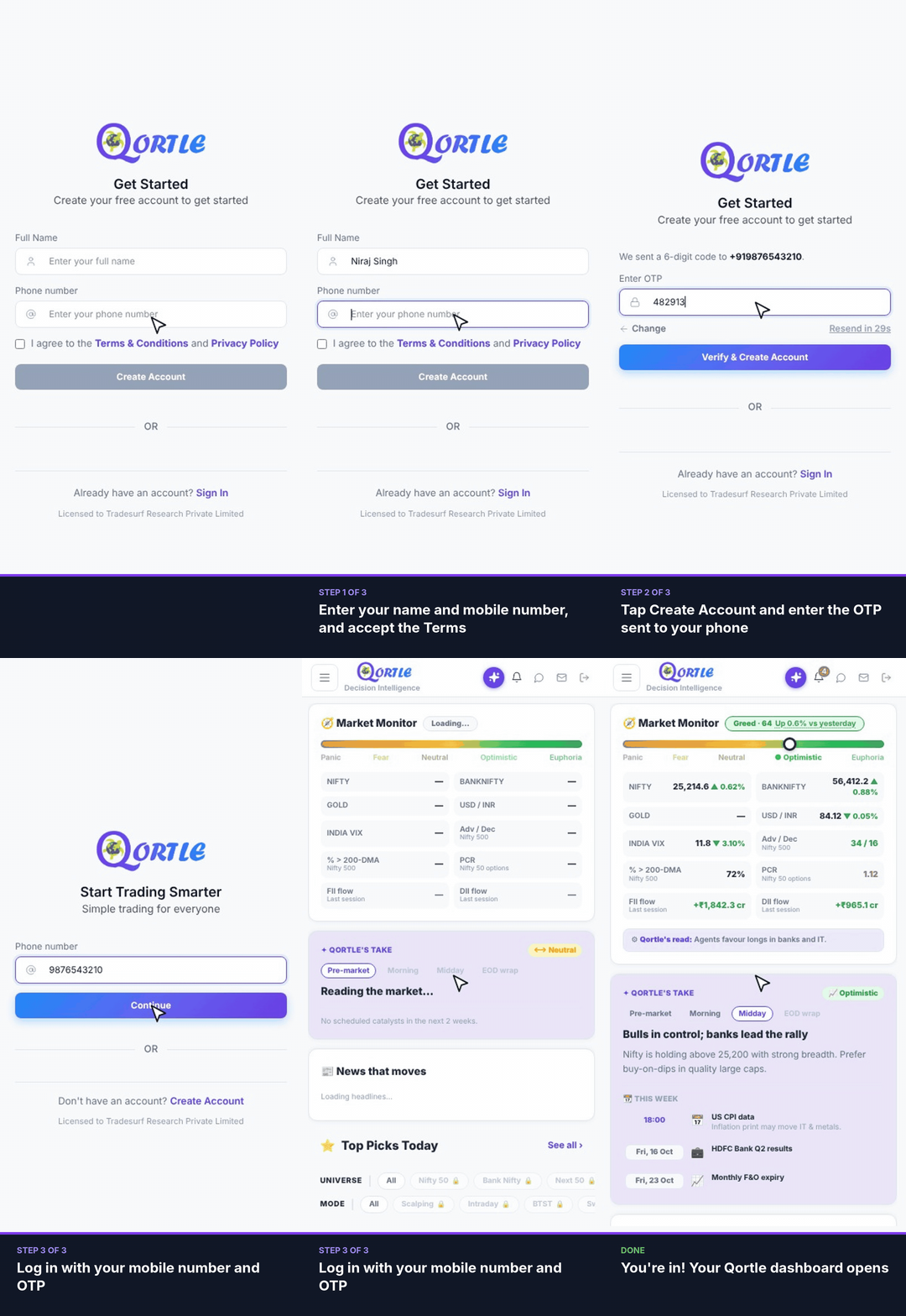
Steps
- 1Enter your name and mobile number, and accept the Terms.
- 2Tap Create Account and enter the OTP sent to your phone.
- 3Next time, log in with your mobile number and OTP.
You're in! Your Qortle dashboard opens.
Good to know
Didn't get the OTP?
Wait for the timer to finish and tap Resend. If the number is wrong, tap Change and enter it again.
Already have an account?
Tap Sign In on the Get Started screen and log in with your mobile number and OTP.
Still need help? Raise a support query