Getting set up · Step 5 of 6
Before you start
- An active account with a supported broker — Zerodha, Upstox, Angel One, Groww, Dhan and 15+ more
- Your broker API key and API secret
App screens are illustrative. The securities quoted are for illustration only and are not recommendatory.
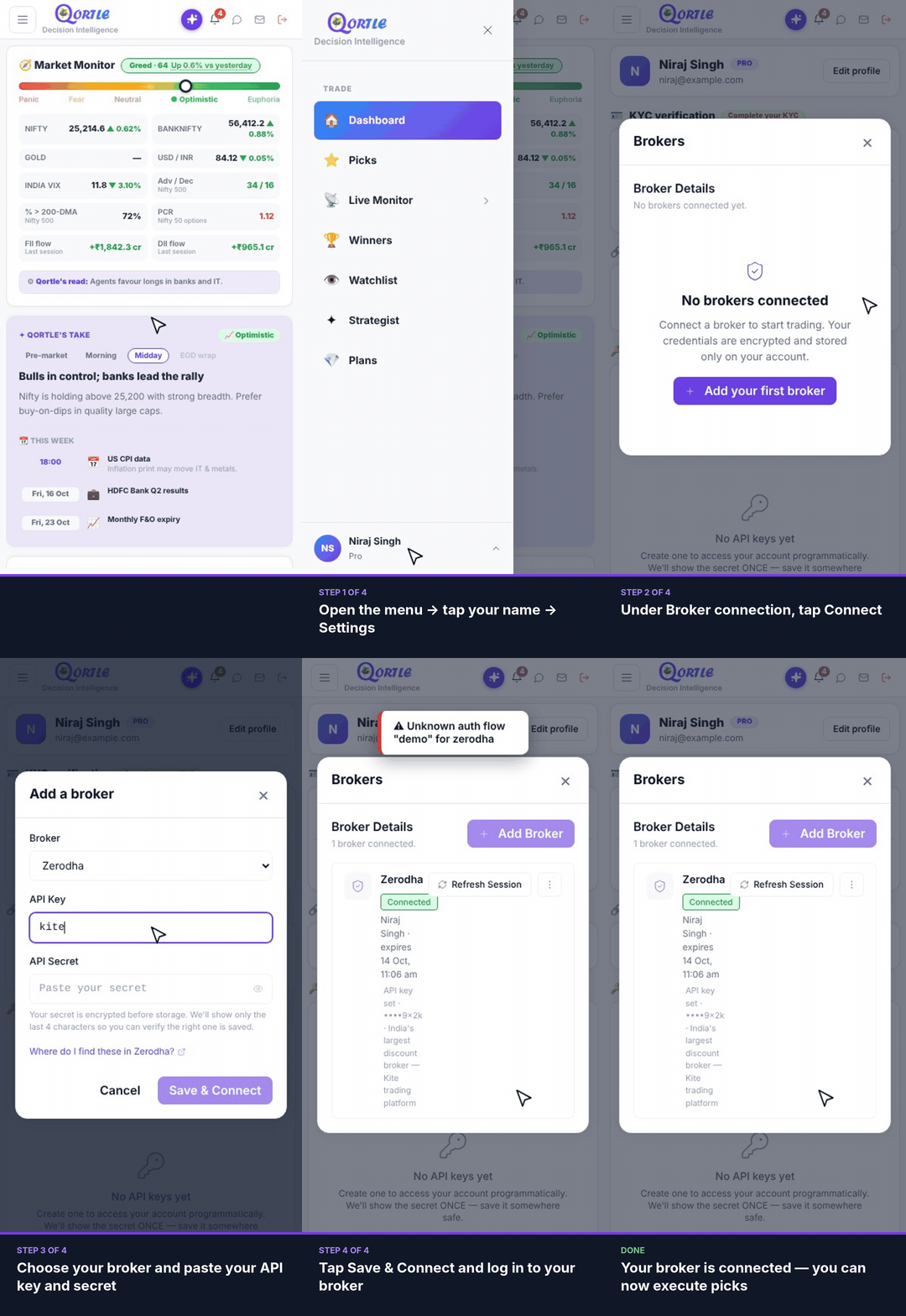
Steps
- 1Open the menu → tap your name → Settings.
- 2Under Broker connection, tap Connect.
- 3Choose your broker and paste your API key and secret.
- 4Tap Save & Connect.
Your broker is connected — you can now execute picks.
Good to know
Where do I find my API key and secret?
In the Add a broker form, tap “Where do I find these in <your broker>?” for your broker's steps.
Is my API secret safe?
Your secret is encrypted before storage. We show only the last 4 characters so you can check the right one is saved.
Broker session expired?
Open Settings → Broker connection and tap Refresh Session next to your broker.
Related guides
Still need help? Raise a support query